Troubleshoot SU-PQR1603 in Epic Games Launcher
What to do first
Record the failed prerequisite and inspect updates, official runtimes and target-folder access. Skipping checks or permanent elevation is not repair evidence; verify normal updating.
This is a general troubleshooting guide, not an announcement of a current outage.
Affected products and symptoms
- Product
- Epic Games Launcher
- Versions and conditions
- Windows 10 / 11
- Error codes and identifiers
- SU-PQR1603
Symptoms
- The operation fails with SU-PQR1603.
- The same failure is reproducible in Epic Games Launcher.
Causes and conditions
Possible causes include Windows update state, installation privileges, Visual C++ Redistributables and folder access.
Before you start
- Exit the game and launcher normally; record the account, title, complete error, and occurrence time.
- Before changing local saves or settings, find the developer-documented save location and copy it to another folder.
Precautions
- Skipping prerequisites does not establish runtime repair
- Do not remove all runtimes or relax permissions across an entire drive
Step-by-step instructions
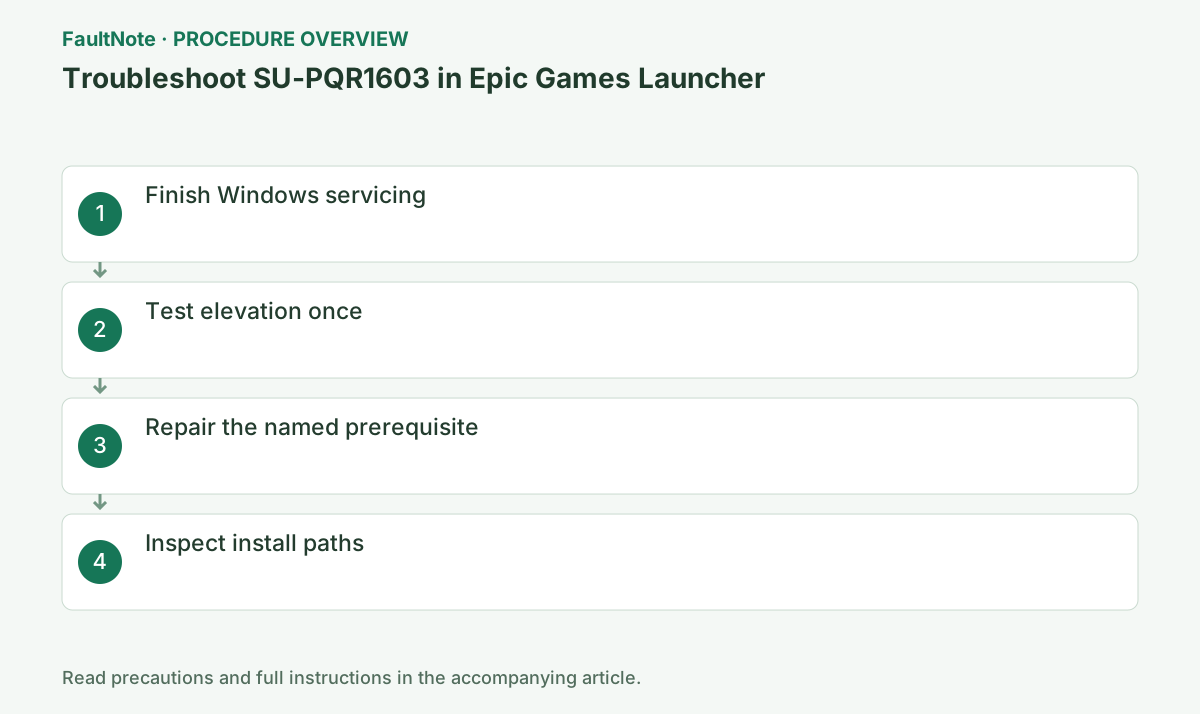
Record the full code and time and identify launcher self-update versus a game-specific prerequisite. Do not reuse another product 1603 procedure solely because the number matches. Retain prerequisite name/version and result if logged. Deleting saves is not the initial response to a launcher-update failure.
Inspect active Windows updates and restart requests, save work and finish requested restarts. Let other installers finish normally before launching one Epic instance. Save Windows update failure codes separately. Do not forcibly stop update services or falsify update state to push prerequisite setup through.
Check the official Epic launcher distribution and note current version and installer filename. Before launcher reinstall, confirm authentication and game locations. Do not delete games or saves together. Download success and completed self-update are separate results; retain setup screens and code.
Use the failing log and Epic/Microsoft guidance to repair/install the appropriate official Visual C++ package. A 64-bit OS can run x86 components; do not select solely from OS bitness. Identify required version/architecture before removing runtimes. Save completion and finish requested restarts before retrying.
Epic guidance checks the user Read/Write permissions in target folder Properties > Security. Confirm the actual path; do not grant Everyone full control on an entire drive. Limit elevation comparison to one attempt and verify normal operation afterwards. Ask administrators about managed or unclear folder ownership.
The official article includes a prerequisite-skipping argument, but skipping is not evidence of successful runtime installation. Identify the failing component before adding a permanent shortcut argument. Restore trial arguments/compatibility changes and test normal startup/update. Inspect matching security detections instead of stopping protection first.
Check completed self-update, normal launcher startup and the intended download/game launch. Record a new code separately. Report update state, failing runtime, permission comparison, logs and time. If other applications cannot install too, investigate Windows Installer separately rather than automatically applying broad re-registration.
Check the result
- The target operation completes without the original error
- The original game launch or update completes with normal privileges and connectivity
- Saved data and required functions show no new faults
If the problem continues
- Give Epic prerequisite name, update state, target permissions and logs. Judge broad Windows Installer repair from separate evidence.
Scope of this guide
Troubleshooting guide — A general diagnostic guide based on official support. It does not claim a current incident or a version-specific fix.
Frequently asked questions
Is x64 alone sufficient?
Choose from the failing component architecture. A 64-bit OS may still need x86; inspect logs and official requirements.
Does launch with a skip argument prove repair?
It does not prove the prerequisite was installed. Restore the original setting and check normal updates and intended apps.
Should I grant broad permissions everywhere?
Check required access on the actual destination. Do not broaden it to full control for Everyone across the drive.
What if Visual C++ repair does not help?
Retain repair and failure results and compare update state, access and failing prerequisite for Epic support. Do not repeatedly remove all runtimes.
Official sources and dates
Source publication or resolution date: Not specified. Sources checked: 2026-10-13. The check date is not the date the problem first occurred. Interface labels can vary between versions and display languages.