Troubleshoot MD-0011-1037 in Epic Games Launcher
What to do first
Identify managed VPN/proxy conditions and compare the same install with one permitted route change. Restore settings and verify normal required access.
This is a general troubleshooting guide, not an announcement of a current outage.
Affected products and symptoms
- Product
- Epic Games Launcher
- Versions and conditions
- Windows / macOS
- Error codes and identifiers
- MD-0011-1037
Symptoms
- The operation fails with MD-0011-1037.
- The same failure is reproducible in Epic Games Launcher.
Causes and conditions
A VPN or proxy connection may interfere with installation.
Before you start
- Exit the game and launcher normally; record the account, title, complete error, and occurrence time.
- Before changing local saves or settings, find the developer-documented save location and copy it to another folder.
Precautions
- Do not bypass required VPN or proxy routes
- Record and restore original values for trial connection changes
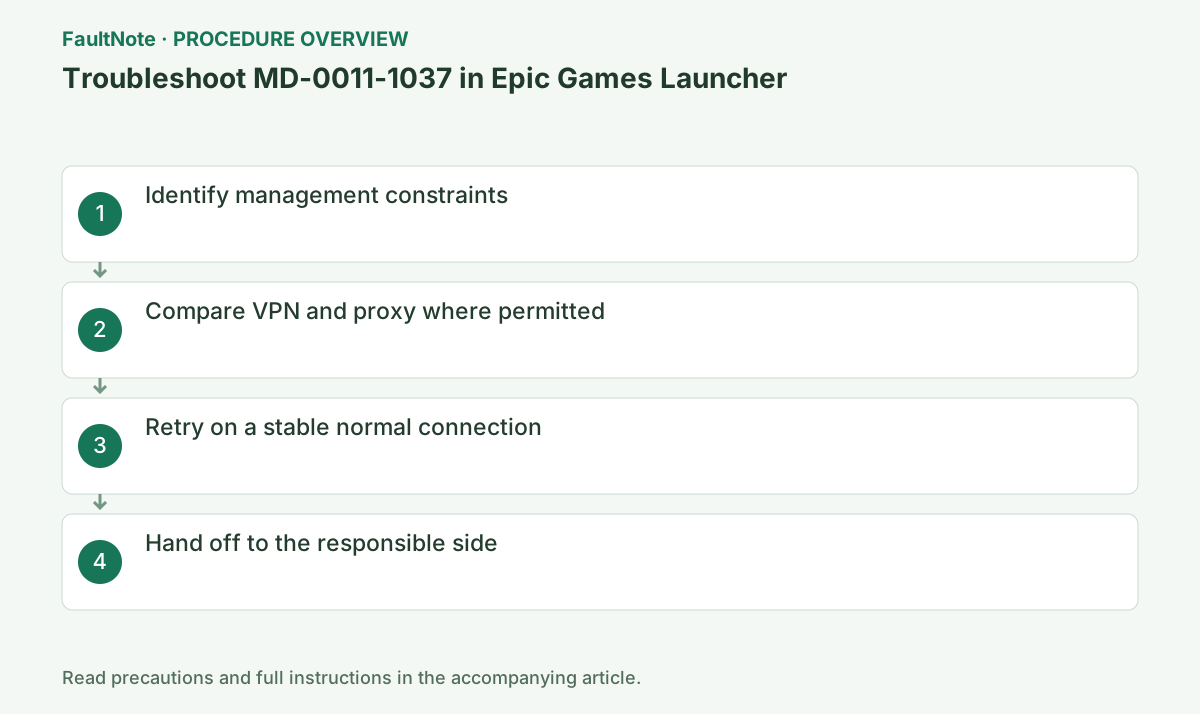
Step-by-step instructions
Record code, game, time and VPN/proxy use. Epic identifies them as likely factors, not proof that a particular service failed. Separate pre-download, mid-transfer and changed-code results. Deleting or verifying game files is not a substitute for comparing routes.
Do not change required organizational settings. Even personally, distinguish automatic scripts, manual proxy and VPN apps and identify the temporary change. Use OS-specific settings guidance rather than applying Windows instructions to macOS. Record original values/restoration and keep credentials private.
Only where permitted, temporarily disconnect VPN or remove an unnecessary personal proxy. Change one, not both. Exit/restart Launcher and retry the same installation once. Check data conditions for another network or tethering. This comparison is not a bypass of managed restrictions.
Wait through download and installation even if the error clears. Separate a later space/file code from the route comparison. Success only without VPN/proxy supports discussing its access rules, not permanent disconnection. Restore unsuccessful trial changes instead of leaving them disabled.
Restore original VPN/proxy and test the same operation normally. If recurrence follows restoration, report time, target and route difference. Do not disable certificate validation or SSL inspection broadly. Confirm use under required normal conditions rather than calling one temporary success complete.
If permitted routes all fail, use official launcher troubleshooting for connectivity, service state and client updates. Existing games need not be deleted before support. Preserve relevant time/code in logs and review account/path details before sharing. Explicitly report recurrence without any VPN if applicable.
Verify completed download/install and launch under usual network/privilege. Check online participation and Cloud separately if required. Record original and final network settings and leave no unnecessary relaxation. On recurrence, use the same-operation route comparison rather than immediately downloading the whole game again.
Check the result
- The target operation completes without the original error
- The original game launch or update completes with normal privileges and connectivity
- Saved data and required functions show no new faults
If the problem continues
- Report the usual-route comparison to the administrator/VPN provider. If all permitted routes fail, use general Epic diagnosis.
Scope of this guide
Troubleshooting guide — A general diagnostic guide based on official support. It does not claim a current incident or a version-specific fix.
Frequently asked questions
What if I am not using a VPN?
Check proxy/automatic settings, record conditions and use general launcher diagnosis. The code alone does not prove VPN use.
Should I erase all proxy settings on a personal PC?
Inspect purpose and original values for a temporary comparison. Distinguish automatic/manual settings and do not erase unverified configuration.
Can I test outside a required company VPN?
Follow administrator authorization/policy. Do not bypass the required route; provide code, time and target.
What if the error returns after restoring VPN?
Retain the route difference and ask the administrator/provider about supported access. Permanent disconnection is not an automatic resolution.
Official sources and dates
Source publication or resolution date: Not specified. Sources checked: 2026-10-13. The check date is not the date the problem first occurred. Interface labels can vary between versions and display languages.
Related troubleshooting guides
Epic Games Launcher errors and troubleshooting →
- Troubleshoot IS-0005 in Epic Games Launcher
- Troubleshoot LS-0013 in Epic Games Launcher
- Troubleshoot SU-PQR1603 in Epic Games Launcher
- Verify missing or damaged game files in Epic Games Launcher