Troubleshoot LS-0013 in Epic Games Launcher
What to do first
Check verification, additional launchers, permanent elevation and launcher cache. Compare one recorded change at a time and verify the original launch at normal privilege.
This is a general troubleshooting guide, not an announcement of a current outage.
Affected products and symptoms
- Product
- Epic Games Launcher
- Versions and conditions
- Windows / macOS
- Error codes and identifiers
- LS-0013
Symptoms
- The operation fails with LS-0013.
- The same failure is reproducible in Epic Games Launcher.
Causes and conditions
Possible causes include game files, launcher cache, operating system, privileges and background applications.
Before you start
- Exit the game and launcher normally; record the account, title, complete error, and occurrence time.
- Before changing local saves or settings, find the developer-documented save location and copy it to another folder.
Precautions
- Do not permanently elevate every game
- Do not confuse launcher cache with game files or saves
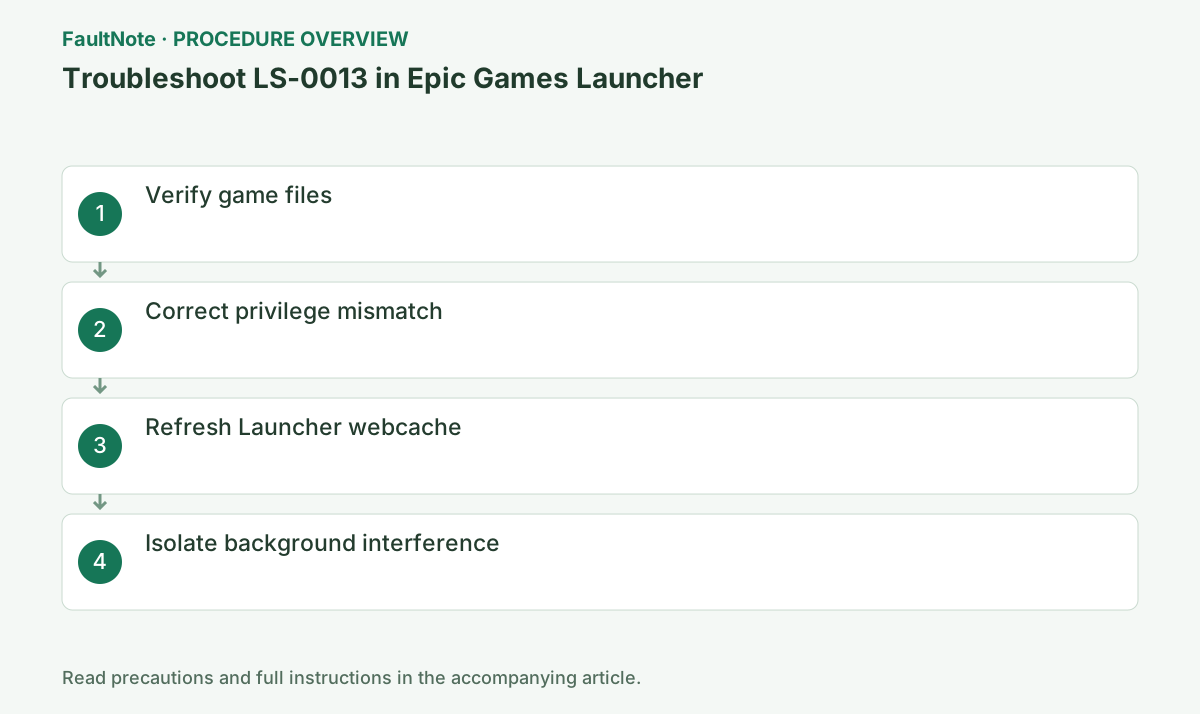
Step-by-step instructions
Record LS-0013, game, launcher version and recent changes. Separate launcher startup failure from one game failing through it. Retain additional-launcher or anti-cheat codes. Check whether an alpha/beta or other time-limited build remains playable according to the developer.
Close game/mod tools and preserve edits and saves. Complete Library > Manage > Verify and replacement downloads. Use the native launcher where Epic Verify is absent. Test before restoring mods. A later authentication failure in another launcher is a separate result.
Inspect Compatibility properties for permanent Run as administrator and record original values. Epic LS-0013 includes both elevation and removing elevation branches; do not permanently elevate every game. Restore unnecessary settings you added and compare normal launch. Ask administrators about managed settings.
Exit Launcher completely and target only webcache folders identified by Epic cache guidance. Do not delete games, manifests or saves. Confirm that the target is launcher cache; numbered variants are not game folders. After restart, compare sign-in and original launch rather than increasing clear repetitions.
On Windows, enter %localappdata% in Win+R and open EpicGamesLauncher > Saved. Delete only present webcache, webcache_4147 or webcache_4430 folders identified by the official article. On macOS, use its documented Finder route.
Close one overlay/recording app and compare, restoring it if unchanged. If trying official elevation guidance, make it one comparison and check normal operation afterwards. Match simultaneous security blocks to file/detection instead of disabling protection or excluding a whole folder. Check additional-launcher permissions with its developer.
Before reinstall, preserve saves, settings, mods and authentication access. Separate launcher reinstall from game reinstall rather than deleting both together. Record any destination change. Reinstall does not change an expired playable period or unresolved permissions; decide from previous branch results.
Launch normally, inspect menu and required scene and exit. For recurrence, report code, verification result, elevation settings and additional-launcher state. Follow a changed code separately. Retain backups until intended progress is confirmed; launch, online participation and Cloud sync are different checks.
Check the result
- The target operation completes without the original error
- The original game launch or update completes with normal privileges and connectivity
- Saved data and required functions show no new faults
If the problem continues
- Record verification, compatibility, cache and third-party-launcher results and contact Epic or the developer while preserving saves.
Scope of this guide
Troubleshooting guide — A general diagnostic guide based on official support. It does not claim a current incident or a version-specific fix.
Frequently asked questions
Will running everything as administrator fix it?
No universal rule applies. Epic also documents removing elevation. Record original settings and use a targeted comparison.
Should I reinstall Epic for a third-party-launcher failure?
Inspect its authentication, updates and error first. Distinguishing stages avoids unnecessary game downloads.
Is clearing launcher cache deletion of saves?
It targets officially identified launcher cache. Confirm path and target so game files and saves are not deleted together.
What if a previously working beta no longer launches?
Check playable period and access with the developer. File repair cannot make an ended build available again.
Official sources and dates
Source publication or resolution date: Not specified. Sources checked: 2026-10-13. The check date is not the date the problem first occurred. Interface labels can vary between versions and display languages.
Related troubleshooting guides
Epic Games Launcher errors and troubleshooting →
- Troubleshoot IS-0005 in Epic Games Launcher
- Troubleshoot MD-0011-1037 in Epic Games Launcher
- Troubleshoot SU-PQR1603 in Epic Games Launcher
- Verify missing or damaged game files in Epic Games Launcher