Troubleshoot 183 in AMD Software: Adrenalin Edition
What to do first
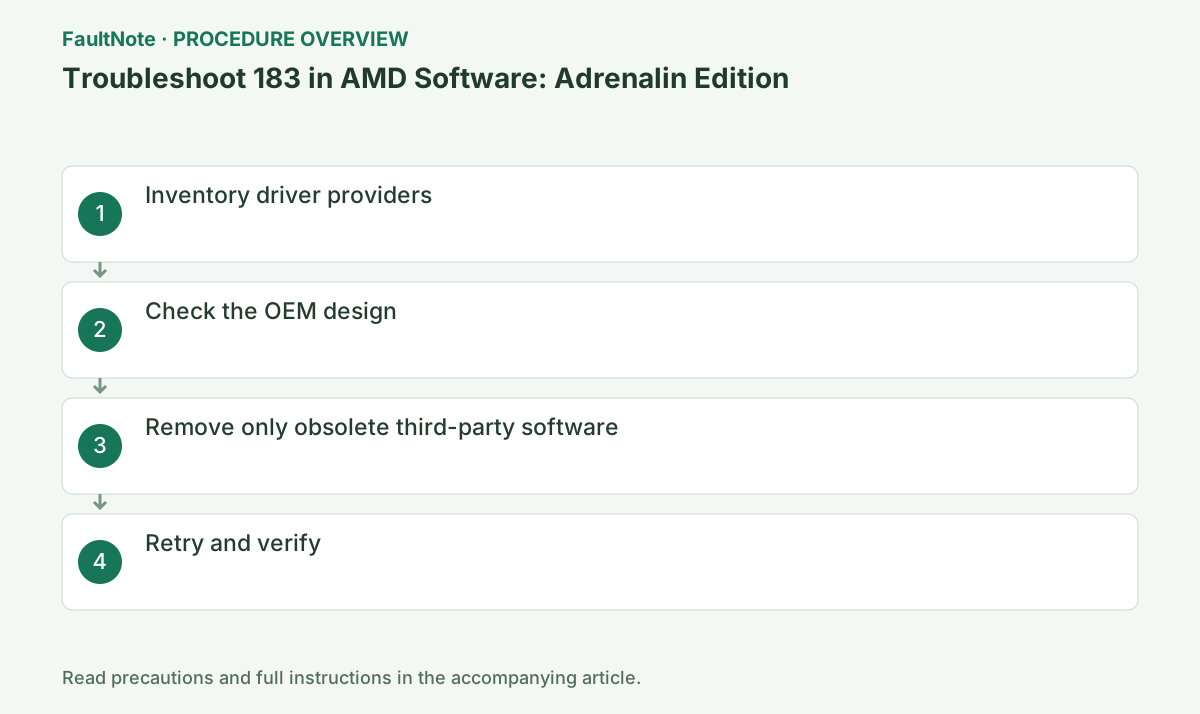
For AMD Installer Error 183, record installed GPUs and driver providers in Device Manager. Check the OEM configuration, then remove only confirmed unnecessary conflicting drivers using the normal uninstall procedure.
This is a general troubleshooting guide, not an announcement of a current outage.
Affected products and symptoms
- Product
- AMD Software: Adrenalin Edition
- Versions and conditions
- Windows 10 / 11
- Error codes and identifiers
- 183
Symptoms
- The operation fails with 183.
- The same failure is reproducible in AMD Software: Adrenalin Edition.
Causes and conditions
Third-party graphics drivers conflict with AMD Software installation.
Before you start
- Close applications and record the exact PC or GPU model, Windows build, current driver version, and complete error.
- For a laptop or branded PC, check its model support page and obtain a recovery OEM driver before making changes.
Precautions
- Use signed GPU or PC-maker packages, not unofficial drivers, individual DLL downloads, or registry tools.
- Do not open a laptop or bulk-remove a healthy multi-GPU configuration that includes integrated graphics.
Tools and official pages used in this guide
Official page for this step. Confirm the exact product, operating system, and version requirement before continuing.
Step-by-step instructions
For every Display adapter, record driver provider and version. Do not assume a normal Intel-plus-AMD laptop configuration is a conflict.
Record the complete code, AMD Software version, and GPU name from the same session. If the code changes, stop using this guide and move to the official article for the new code.
Determine whether only an old driver remains or another vendor GPU is physically installed. Record monitor connections too. AMD KB183 recommends removing conflicting third-party drivers and hardware; integrated graphics are not treated the same way.
Removing an active GPU affects displays and applications. For an intentional mixed-vendor configuration, ask AMD or the OEM about supported setup before broad removal.
Use the PC maker's support page to learn the required order and combination for switchable graphics.
On an OEM PC, check the model support page before choosing AMD's generic package. Switchable graphics, integrated GPUs, and handhelds may require an OEM build, so preserve the current version and recovery package.
Official links for this step
- AMD error 183 guidance
Official page for this step. Confirm the exact product, operating system, and version requirement before continuing.
Check before continuingThe official page or signed package for AMD error 183 guidance opens and its product/version conditions match this device.
- AMD error 183 guidance
Inventory present hardware and remaining software after a card replacement. A removed GPU with leftover software differs from another GPU still needed for output or compute. Check applications as well as Device Manager and monitor wiring.
For obsolete software, use ordinary uninstall, record name and version and restart. Do not remove needed integrated or add-in drivers together. If the OEM specifies a switchable-graphics combination, report 183 with that combination. A tool removing every vendor is not an automatic next step.
Uninstall clearly obsolete software for a replaced GPU through Settings > Apps, then restart. Keep the driver for an actively used integrated GPU.
Close games, recording, GPU monitoring, and other installers. Wait for completion or a specific new code; temporary display flicker can occur, so do not power off during setup.
Confirm the target AMD GPU is healthy in Device Manager, then run AMD Installer. If 183 remains, report the full adapter/provider inventory.
After restart, open Device Manager > Display adapters > target GPU > Properties > Driver and verify provider/version. If it is not the intended state, preserve Installer.log instead of repeatedly rerunning setup.
Check before continuingDecision: Confirm the target AMD GPU is healthy in Device Manager, then run AMD Installer. If 183 remains, report the full adapter/provider inventory. After restart, open Device Manager > Display adapters > target GPU > Properties > Driver and verify provider/version. If it is not the intended state, preserve Installer.log instead of repeatedly rerunning setup.
Before removal, save recovery packages for both vendors, original versions and monitor connections. Power down and follow the hardware manual for physical work. Use OEM guidance if access or warranty conditions are unclear.
After 183 clears, check the AMD driver and every required display. If restoring the intended mixed setup causes recurrence, report that configuration and log rather than repeatedly deleting drivers.
Check before continuingBefore removal, save recovery packages for both vendors, original versions and monitor connections. Power down and follow the hardware manual for physical work. Use OEM guidance if access or warranty conditions are unclear.
Record PC model, every GPU, driver providers and versions, display connections, package name and 183 time. AMD names Installer.log for this code; save the actual current log in that directory. If your environment uses another filename, report the real file rather than pretending a nonexistent path was saved.
Before a temporary hardware-removal test, record wiring and the original state. Restore required hardware and check output afterwards. Success with AMD alone but failure with mixed graphics is evidence for a support discussion. Permanently losing a required GPU is not completion when both adapters are needed.
The AMD article gives the default log path C:\Program Files\AMD\CIM\Log\Installer.log. If absent, inspect CIM\Log for a log matching this attempt and record its actual filename. If none is found, state that no log was obtained and preserve the package name, error screen and attempt time for support.
Check the result
- 183 no longer appears and the operation completes.
- The selected version and settings remain after restart.
- A second test shows no new display, input, save, or synchronization problem.
If the problem continues
- Restore reversible settings from the notes and escalate without deleting user data.
- Prefer the PC maker or administrator procedure for OEM drivers and managed networks.
- Protect account names, tokens, and save contents before sharing logs.
Scope of this guide
Troubleshooting guide — A general diagnostic guide based on official support. It does not claim a current incident or a version-specific fix.
Frequently asked questions
Does having Intel and AMD together cause 183?
Not by itself; it is normal on many switchable-graphics laptops. Follow the maker's supported combination.
Should I use DDU first?
Use AMD's normal uninstall or the OEM procedure first. Third-party bulk removal can eliminate recovery paths.
Must I always remove NVIDIA software when AMD software is present?
Check the actual Error 183 and configuration first. Removing an active other-vendor GPU can disrupt displays and applications. Confirm support if mixed graphics are required.
What if another GPU cannot be removed from a laptop?
Do not apply physical-removal instructions to integrated graphics. Record both GPU versions and the PC model and check OEM switchable-driver packages and order.
Official sources and dates
Source publication or resolution date: Not specified. Sources checked: 2026-10-13. The check date is not the date the problem first occurred. Interface labels can vary between versions and display languages.
Related troubleshooting guides
AMD Radeon / Adrenalin errors and troubleshooting →
- Smart Access Memory becomes disabled after installing Adrenalin 26.8.1
- Clean and reinstall the graphics driver with AMD Cleanup Utility
- Troubleshoot 173 in AMD Software: Adrenalin Edition
- Troubleshoot 174 in AMD Software: Adrenalin Edition